Key idea
Onboard computer and data: compute, store, command and telemeter. The question to solve is: What does the spacecraft computer actually do when nobody is typing? It receives telemetry, executes commands, timestamps events, manages data buses, runs GNC algorithms, stores data and supports fault detection. Some functions are real-time while others are not. Computing architecture therefore assigns priorities, processors, memory and networks according to timing and failure consequences. The rest of the course turns that idea into an auditable line of reasoning: explicit units, stated assumptions, reproducible calculations, order-of-magnitude checks and interpretation limits. A result is useful only when the reader can explain what it measures, where every input came from and which engineering decision it can support.
Starting synthesis: derivations, examples, limitations and sources are developed in the course body.
Key concepts before you begin
bus · avionics · watchdog · redundancy · unit
1 — The concrete scene
Sensors produce measurements; software time-tags and processes them, commands actuators, stores data and prepares telemetry.
2 — Essential words, explained before using them
- Avionics
- Computing, acquisition and command electronics.
- C&DH
- Command and Data Handling.
- Telemetry
- Data sent to operators.
- Telecommand
- Command sent to the vehicle.
- Data bus
- Network exchanging data among units.
- Watchdog
- Monitor detecting a hung computer.
3 — See the architecture before calculating
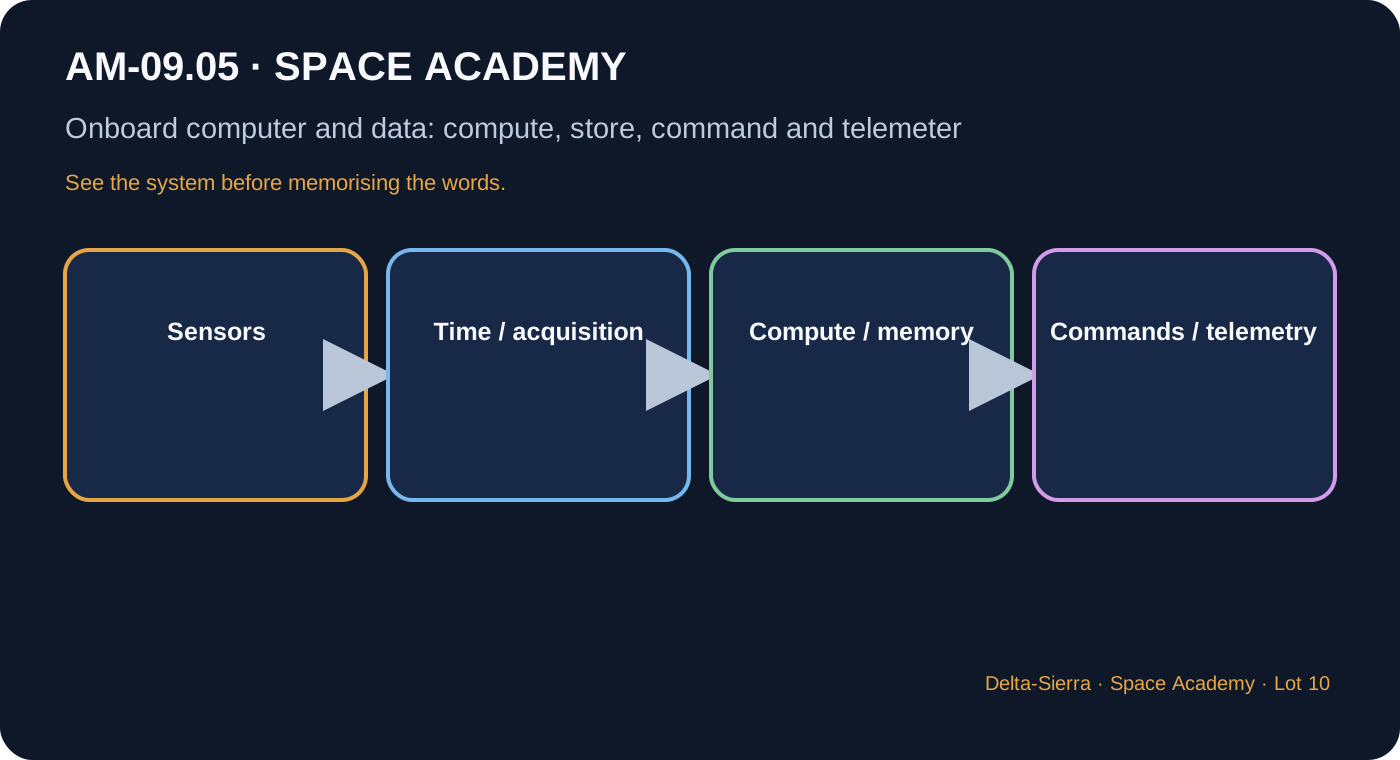
Acquire
Identify, calibrate and time-tag a value.
Process
Filter, navigate, control or compress.
Command
Apply the order to the correct unit in the correct state.
Store
Keep what cannot be sent immediately.
4 — Formulas, only when they answer a question
How to read it : data equals rate times time
R in bit/s times t in s gives bits.
How to read it : one byte equals eight bits
Check conversion between link rate and storage.
5 — What units and margins mean
bit, byte, bit/s, kbit/s, Mbit/s, MB/GB with stated convention.
6 — Three concrete demonstrations, calculated step by step
Camera storage
2 Mbit/s for 30 min.
30 min=1,800 s
D=3,600 Mbit
≈450 MB
Empty storage
900 MB at 3 Mbit/s.
900×8=7,200 Mbit
t=7,200/3=2,400 s
=40 min
Sensors
20 sensors, 16 bits at 100 Hz.
One sensor=1,600 bit/s
×20=32,000 bit/s
=32 kbit/s
7 — Deepening: what the simplified diagram hides
Centralised / distributed
Centralisation simplifies some functions but concentrates dependencies.
Time
Without coherent time tagging, fusion and diagnosis become difficult.
Memory
Volatile and non-volatile storage play different restart roles.
Radiation
Bit flips and upsets require mitigation and recovery.
Observability
Logs must allow failure reconstruction.
8 — Application to an Earth-Mars spacecraft
9 — Reference dossier: what a real project must still consider
The onboard computer is an orchestrator
It receives telemetry, executes commands, timestamps events, manages data buses, runs GNC algorithms, stores data and supports fault detection. Some functions are real-time while others are not. Computing architecture therefore assigns priorities, processors, memory and networks according to timing and failure consequences.
Volatile, non-volatile and survival data
RAM is fast but usually loses content without power. Non-volatile memory preserves code, parameters and recovery data. Long missions must protect reference software images and safe configurations. Radiation-induced bit errors are mitigated with error correction, scrubbing, redundancy and controlled reboot strategies.
Data buses are shared roads
Sensors, actuators and computers exchange data through links and protocols. Rate, latency, determinism, topology and fault tolerance matter. A faster bus is not automatically better if it adds complexity or power. Network failure can make healthy equipment unreachable.
Time is navigation and diagnostic data
Measurements cannot be fused correctly when timestamps are wrong. Clock drift can affect navigation, communications, sequencing and anomaly reconstruction. Vehicles therefore maintain and distribute time references while accounting for onboard, ground-reception and propagation times.
Radiation means designing for transient errors
Energetic particles can temporarily flip bits or disturb circuits without permanent destruction. The system combines suitable parts, shielding, redundancy, voting, corrected memory, watchdogs and reconfiguration. The goal is not zero errors but recovery or safe behaviour when errors occur.
Observability makes failures diagnosable
Structured logs record events, key values, mode changes, resets and bus messages. Logging itself must be managed so memory and communications are not overwhelmed. Good observability lets engineers reconstruct the causal chain of an anomaly.
Distributed computing and Mars autonomy
Local controllers can reduce wiring and isolate faults but complicate synchronisation, software updates and diagnosis. Mars maintenance must also preserve configuration files, programming tools, firmware versions and replacement compatibility. Avionics therefore has a digital logistics chain as well as hardware.
10 — Common traps and bad intuitions
- Confusing bit and byte.
- Thinking more CPU fixes poor architecture.
- Logging much but not the right variables.
The onboard computer turns sensor data into traceable decisions
Flight computers receive telemetry and commands, execute flight software, drive actuators and preserve data under constrained resources. Data buses must deliver bandwidth, timing and fault behavior; high peak rate is useless if a critical command can be delayed unpredictably.
Memory carries different criticality levels. Validated software, configuration tables and fault history need stronger protection than disposable science products. Radiation-driven bit errors may require ECC, scrubbing, redundancy and rollback logic.
Telemetry is also a human interface. Too little data hides faults; too much saturates channels and operators. Parameters are selected so engineers can reconstruct system state and test competing diagnostic hypotheses.
11 — Guided exercises
Question : What question comes before choosing hardware?
Question : Why is a nominal result insufficient?
12 — What to remember
- Explain the topic in simple words before symbols.
- Connect at least four interfaces with other subsystems.
- Redo the three numerical examples without reasoning gaps.